How to upgrade File Explorer of windows 10
- Kodi Learn

- Mar 23, 2020
- 1 min read
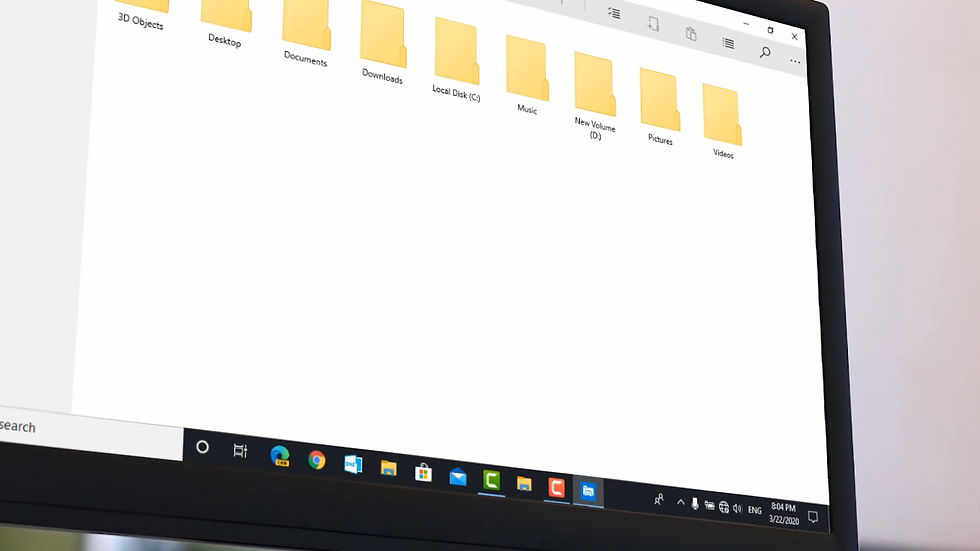
Microsoft has finally launched the new UWP file explorer which was available in Windows phones, Xbox platform, etc. in Windows 10 also but as the hidden.
It is just available in 1809 and newer versions.
...............................................................................................
Watch our video:
My windows version: I am using Windows 10 insider preview 19597
Note: It is only for beta testing or testing purposes. It does not include all features of legacy file explorer but you can just test.
Code: explorer shell:AppsFolder\c5e2524a-ea46-4f67-841f-6a9465d9d515_cw5n1h2txyewy!App
Method (1):
Step 1. Press Windows + R to open Run.

Now, Type CMD and hit enter.
Step 2: Type the given code and hit enter.
Code: explorer shell:AppsFolder\c5e2524a-ea46-4f67-841f-6a9465d9d515_cw5n1h2txyewy!App

Now, it will open the file explorer.
Method (2):
Step 1. Just press Windows + R to open Run.

Step 2. Just copy the code given here and hit enter.
Code: explorer shell:AppsFolder\c5e2524a-ea46-4f67-841f-6a9465d9d515_cw5n1h2txyewy!App

Now, it will open File explorer.
Method (3): (Recommended)
Step 1. Just right click on desktop and select New.

Step 2. Click on Shortcut and paste the code given below:
Code: explorer shell:AppsFolder\c5e2524a-ea46-4f67-841f-6a9465d9d515_cw5n1h2txyewy!App

Step 3. Just Click on Next.
Step 4. Just Type any name that you want. I will write File Explorer and Click on Finish

Now, It will open new file explorer
Microsoft should do a lot of improvement on it. It is not full of the features of legacy file manager but you can use it to test the future of your legacy file explorer.
Hope, you like this video. If you like this video then do not forget to checkout our channel: https://www.youtube.com/channel/UCeI1RHdaP94S6muprt0cqhA


Comments